


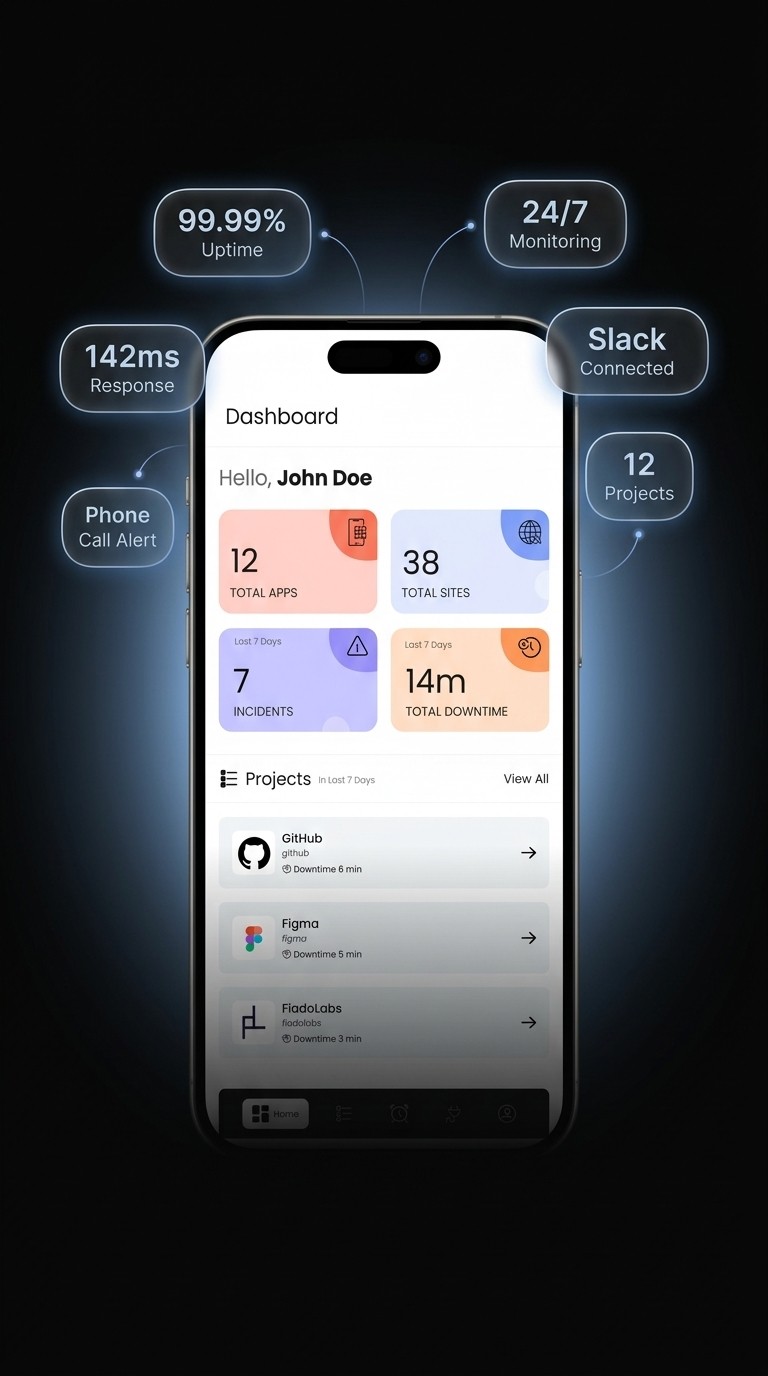
Download From


Downtime alarms processed

Why SIOPS
Four things that make SIOPS different from the monitoring tools your sysadmin friends recommend.


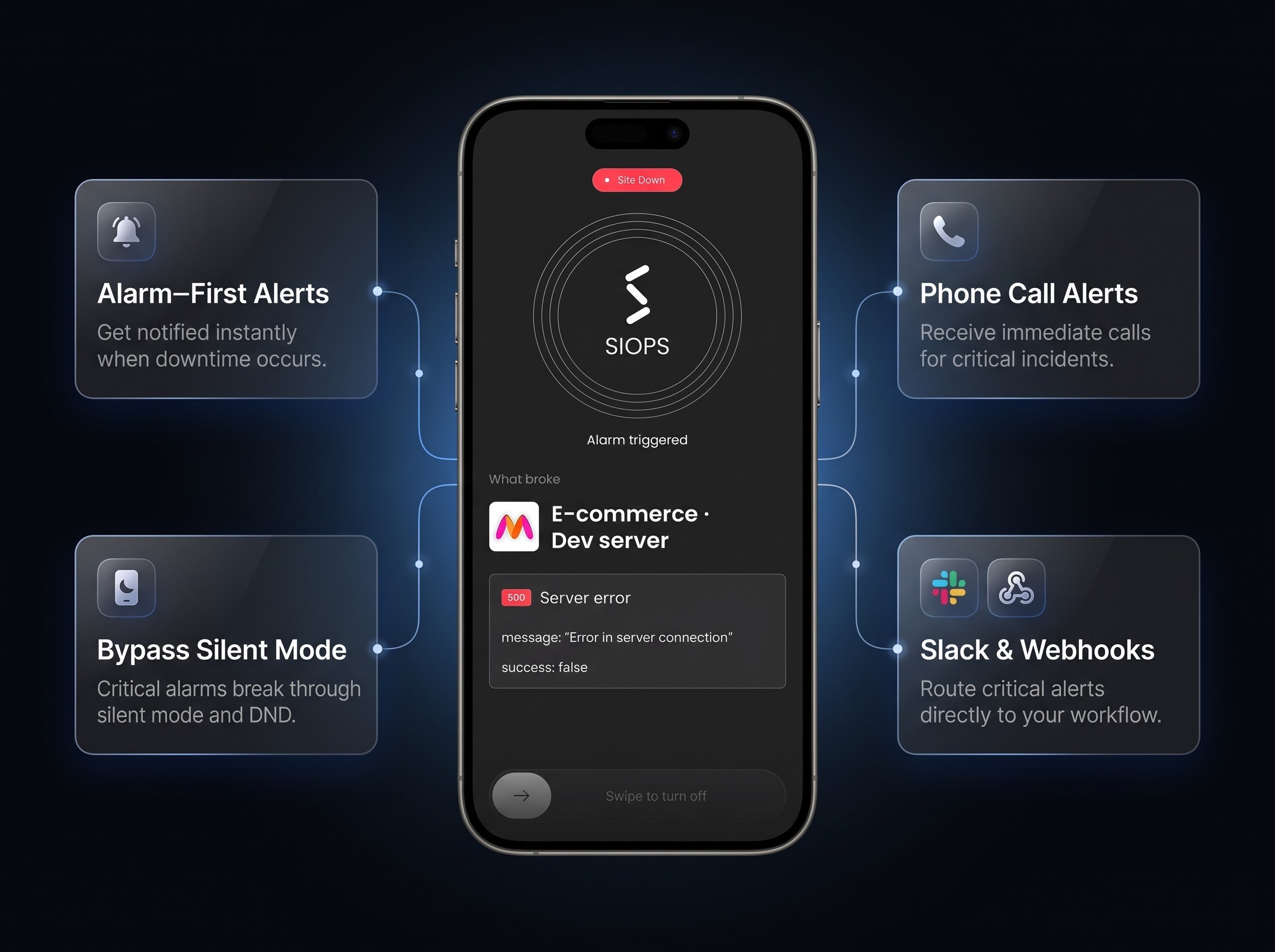

Bypasses silent and DND
Same notification channel as your morning alarm clock. iPhone Critical Alerts, Android alarm channel. Tested on every release because if it stopped working, the product would stop being worth using.

Acknowledge from the lock screen
One tap from the lock screen marks an incident as seen. No app-open friction. Useful when you're half awake and need to silence the alarm before deciding what to do.

Per-monitor alarm tones
Assign a different alarm sound to each client. You'll know which site is down before you open the app, which matters when you're managing 5 or 10 monitors.

Your referral link is one tap away
Every account ships with a unique referral link in Settings. Share it on Twitter, drop it in your client deck, or DM it to other freelancers. No application, no approval.

20% commission, recurring
You get 20% on every paid month your referrals stay subscribed. They get 10% off their first plan. The math compounds when you're referring agencies.
Live earnings dashboard
See active referrals, lifetime commission, and pending payout in real time. Withdraw to UPI or bank when the balance crosses the threshold.
No clawback, no hidden tiers
Commission rules are documented and don't change retroactively. Every transaction has a visible audit trail. We're not interested in being clever about the terms.
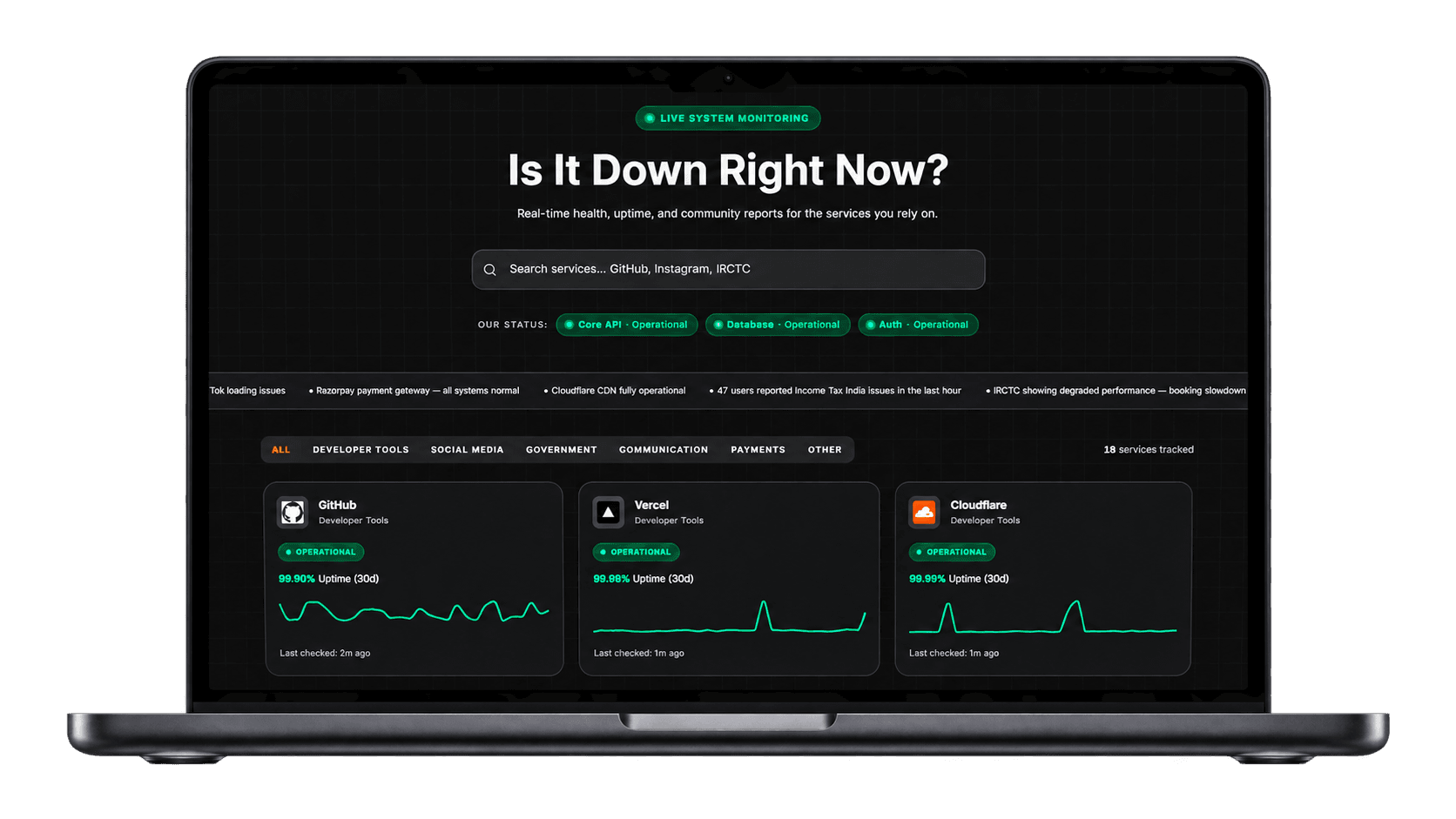
One shareable URL per project
Each monitored site gets a public status page on a clean siops.app subdomain. Bookmark it, email it, link it from a contract. No login wall for the people checking it.
Updates itself
No screenshots, no monthly uptime emails. The page reflects live data the moment a check completes. Sleep at night, look professional in the morning.
Looks like part of your stack
Custom domain support on the Pro plan. White-label the page so it reads as part of your agency, not a third-party tool. Logo, colors, and footer match your brand.
Proof your retainer is earning
When a client asks what you actually do, point them at 99.97% uptime over the last quarter. Numbers replace excuses. Renewal conversations get a lot shorter.
Open full status page →

Blog
Long-form guides and outage breakdowns from the SIOPS team.

Chase Bank Outage, November 16 2026: Why Wells Fargo, Bank of America and U.S. Bank Lit Up Too
Outage Breakdown

Microsoft 365 Outage, November 12 2026: Why Outlook, Teams and Exchange Online Went Down
Outage Breakdown

How to Self Host Immich Without Losing a Single Photo
Self Hosting
View all Blogs →
Real users, real outages


Our Pricing
Choose a plan that fits your needs, with flexible options and transparent pricing.


Compare plans
Pick the plan that fits your uptime needs. Upgrade anytime.
Monthly
Yearly
Hobby
Free
Best for personal projects and small monitors
Serious
$3.75
/month per project
Faster checks, more monitors, and team access
Save 25% on Yearly
Pro
Custom
Advanced alerting for production workloads
Monitoring
Monitors
5
10
Custom
Alarms
1
Unlimited
Custom
Polling interval
> 5 min
> 60 sec
30 sec or faster
Custom projects & alarms
–
–
Alerts
Native mobile alarms
Call alerts
Slack alerts
Email alerts
Push notification alerts
Team
Teammates
Unlimited
Unlimited
Team roles
Team roles and access control
–
–
Support
Support
–
24x7
SLA & priority support
Pro controls
Custom integrations
–
–
Advanced alerting and escalation
–
–

FAQ
The questions we get most often.
How is SIOPS different from UptimeRobot or Better Stack?

Most monitors send a push notification and hope you notice it. SIOPS fires a native phone alarm on the same channel as your morning wake up alarm, so it cuts straight through silent mode and Do Not Disturb. It is built phone first for freelancers and small agencies, not as a wall of dashboards a sysadmin stares at all day. Setup takes about two minutes with no agents and no DNS changes.
Will the alarm really go off if my phone is on Do Not Disturb?
Yes. SIOPS uses iPhone Critical Alerts and the Android alarm channel, the same one your clock app uses, so silent mode and DND cannot mute it. We test this on every release, because the moment it stops working the product stops being worth using.
How fast do alerts arrive?
Every check that fails fires the alarm right away, not after a retry timer. The free Hobby plan checks each site every 5 minutes, Serious checks every 60 seconds, and Pro goes to 30 seconds or faster. The pricing section above has the full breakdown.
What can SIOPS monitor besides websites?
Any public HTTP or HTTPS endpoint, so websites, servers, APIs, and web apps all work. Paste the URL, pick an alarm tone, and you are live.
Is there a free plan and what are the limits?
Yes. The Hobby plan is free forever and covers 5 monitors with one alarm, and it checks each site every 5 minutes. When you want faster checks, down to every 60 seconds, plus more monitors, unlimited alarms, and team access, the Serious plan unlocks them. The full limits for every plan are laid out in the pricing section above.
Can I share an uptime status page with clients?
Yes. When you create a project you choose whether it is public or private. Public projects get a live status page on a clean siops.app subdomain that updates the moment a check completes, with no login wall for the people checking it, so you can bookmark it, email it, or link it straight from a contract. Private projects stay off the status checker entirely and are visible only to you. Custom domains and white label branding are available on the Pro plan.
How can SIOPS alert me when something goes down?
SIOPS alerts across six channels: the production alarm, incident email, push notification, Slack workspace alert, voice call alert, and webhook integration. That means you can route an outage exactly where you will actually see it, from a phone alarm that rings through Do Not Disturb to a webhook straight into your own tooling.
Why is SIOPS so affordable?
Because it does one job extremely well instead of bundling features you will never open. There is no enterprise sales team, no per seat pricing, and no surprise add ons, so the flat price in the pricing section above is the whole story. You are paying for an alarm that actually wakes you up, not a dashboard you log into once a month.
What happens if I miss the alarm?
The alarm is built to hold your attention rather than fire once and vanish, and you acknowledge it with one tap from the lock screen. Any backup channels you set up, like a phone call, Slack, or email, fire alongside it, so you always have more than one chance to catch an outage. Advanced escalation rules are available on the Pro plan shown in the pricing section above.
Can I use SIOPS for client sites I don't own?
Yes, and it is one of the most common ways freelancers and agencies use it. You only need the public URL to monitor a site, so you can watch every client project from one place and give each its own alarm tone. The public status pages also make it easy to show clients the uptime you are delivering.
How do I cancel or downgrade?
Anytime, straight from the app, with no phone call and no retention hoops. If you downgrade, you keep your current features until the end of the billing period, then move to the plan you picked. You can compare what each plan includes in the pricing section above before you switch.
Set up real-time website and server monitoring in minutes.
Get instant alarm alerts when something goes down.


